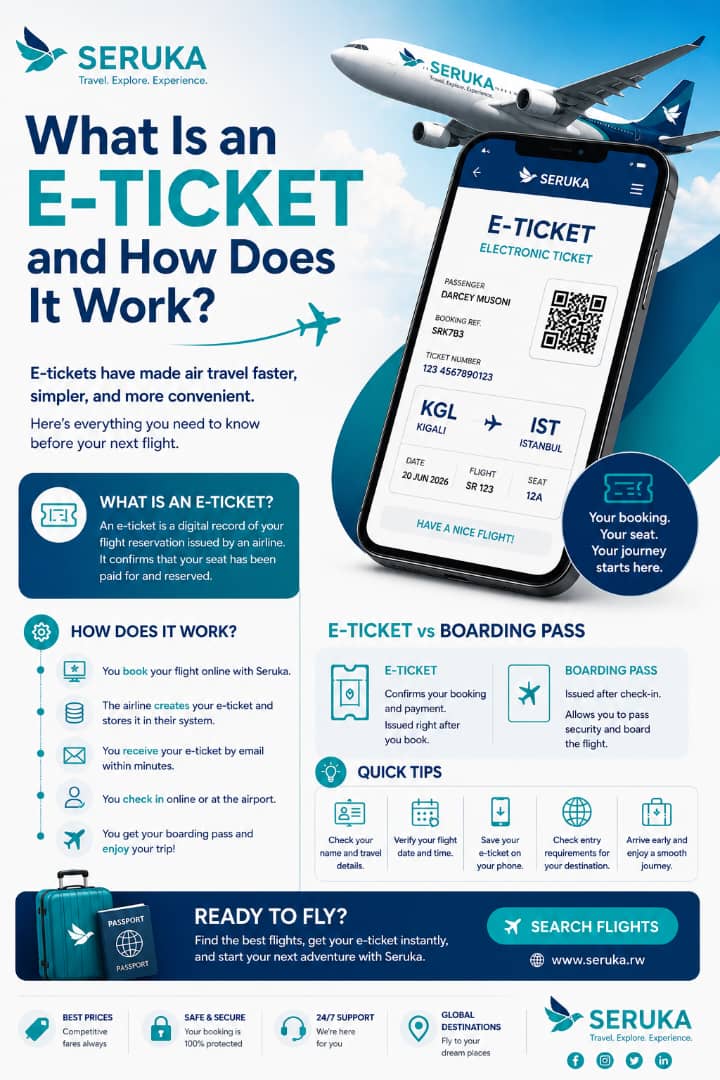
What Is an E-Ticket and How Does It Work?
If you've booked a flight online, you've probably received an e-ticket. But what exactly is it, and do you need to print it before traveling? Understanding how airline e-tickets work can make your journey smoother and help you avoid confusion at the airport.
An electronic ticket, commonly called an e-ticket, is a digital record of your flight reservation. Instead of receiving a paper ticket, your booking is securely stored in the airline's reservation system.
When you purchase a flight, the airline generates a unique ticket linked to your booking. This ticket confirms that your seat has been paid for and reserved.
What Information Does an E-Ticket Include?
Although airline designs vary, most e-tickets contain the same important travel details.
Passenger Details
Your full name exactly as it appears on your passport or national ID.
Flight Information
Airline name, flight number, departure and arrival airports, travel dates, and departure times.
Booking Reference
A unique booking reference or PNR used to manage your reservation.
Ticket Number
A unique electronic ticket number issued after your booking is confirmed.
How Does an E-Ticket Work?
After booking your flight, the airline stores your ticket electronically in its reservation system. You usually receive the ticket by email within a few minutes.
On your travel day, simply check in online or at the airport. Once check-in is complete, you'll receive your boarding pass, which allows you to pass through security and board your flight.
Quick Tip
Always double-check that your name, travel dates, and destination are correct as soon as you receive your e-ticket.
Do You Need to Print Your E-Ticket?
In most cases, no. Most airlines accept digital e-tickets that can be shown on your smartphone.
However, some destinations or airlines may ask travelers to present a printed copy, especially for international trips or visa verification. It's always worth checking the airline's requirements before departure.
E-Ticket vs Boarding Pass
Many travelers confuse an e-ticket with a boarding pass, but they are not the same.
E-Ticket
Confirms your flight booking and payment. It is issued immediately after your reservation is completed.
Boarding Pass
Issued after check-in and required to enter the security area and board your flight.
What If You Lose Your E-Ticket?
There's usually no need to panic. Airlines keep your reservation in their booking system.
If you can't find your e-ticket email, simply log in to the airline's website or contact customer support. You can also retrieve your booking using your booking reference and identification.
Before You Travel
- Check that your name matches your passport or ID.
- Review your flight date and departure time.
- Keep your booking reference accessible.
- Complete online check-in when available.
- Save your e-ticket on your phone.
Final Thoughts
E-tickets have made air travel faster, simpler, and more convenient by replacing traditional paper tickets.
Understanding the difference between an e-ticket and a boarding pass, knowing where to find your booking details, and reviewing your information before departure can help you enjoy a smoother travel experience.
Book Your Next Flight with Confidence
Compare flights, receive your e-ticket instantly, and plan your journey with Seruka.
Search Flights